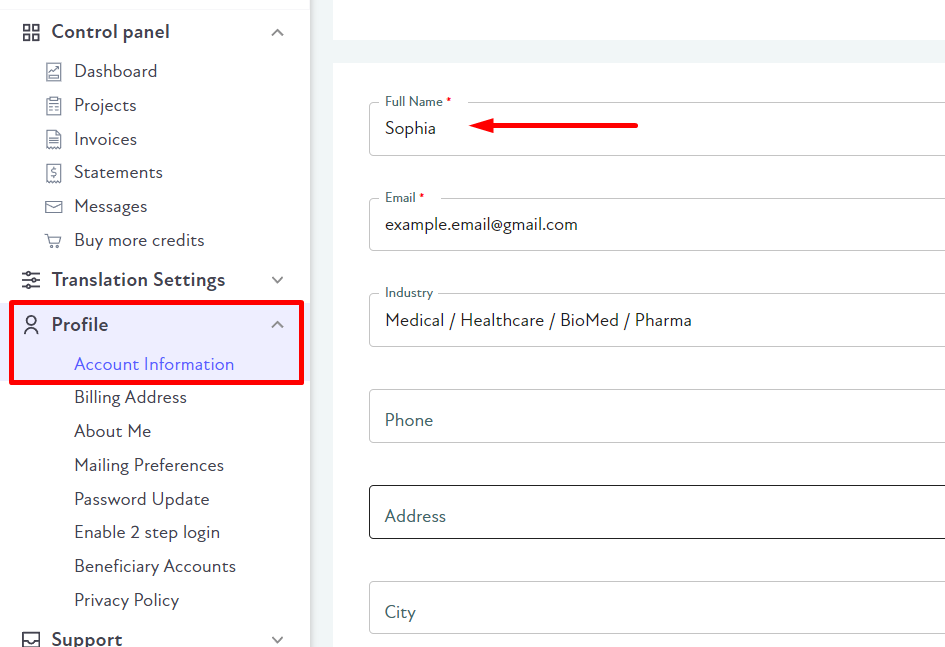
How do I change the name used on my account? Sophia June 29, 2022 15:40 Updated You can edit the account name in settings: Sign in to BLEND. Go to https://app.getblend.com/profile#account: Enter your preferred name and click Save at the bottom of the page. Related articles Two-factor authentication How do I reset 2FA without Google Authenticator? How can I delete my profile? I need to change my email address Primary and Sub accounts Comments 0 comments Please sign in to leave a comment.

Comments
0 comments
Please sign in to leave a comment.